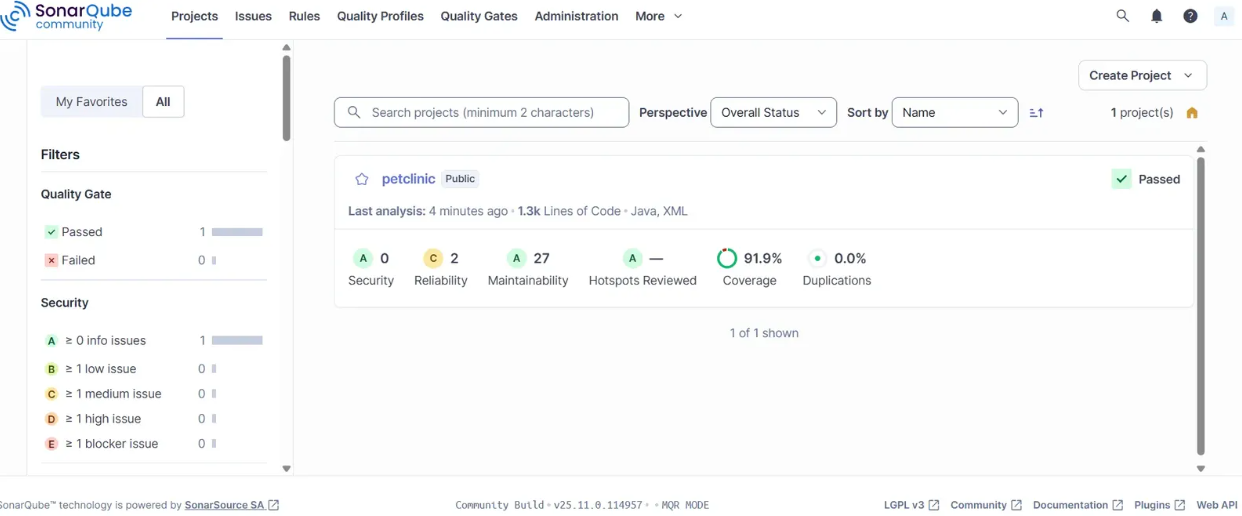
웹 소스(SpringPetClinic)를 대상으로 SAST 로컬 실습한 과정을 정리했다.
AWS 아키텍처
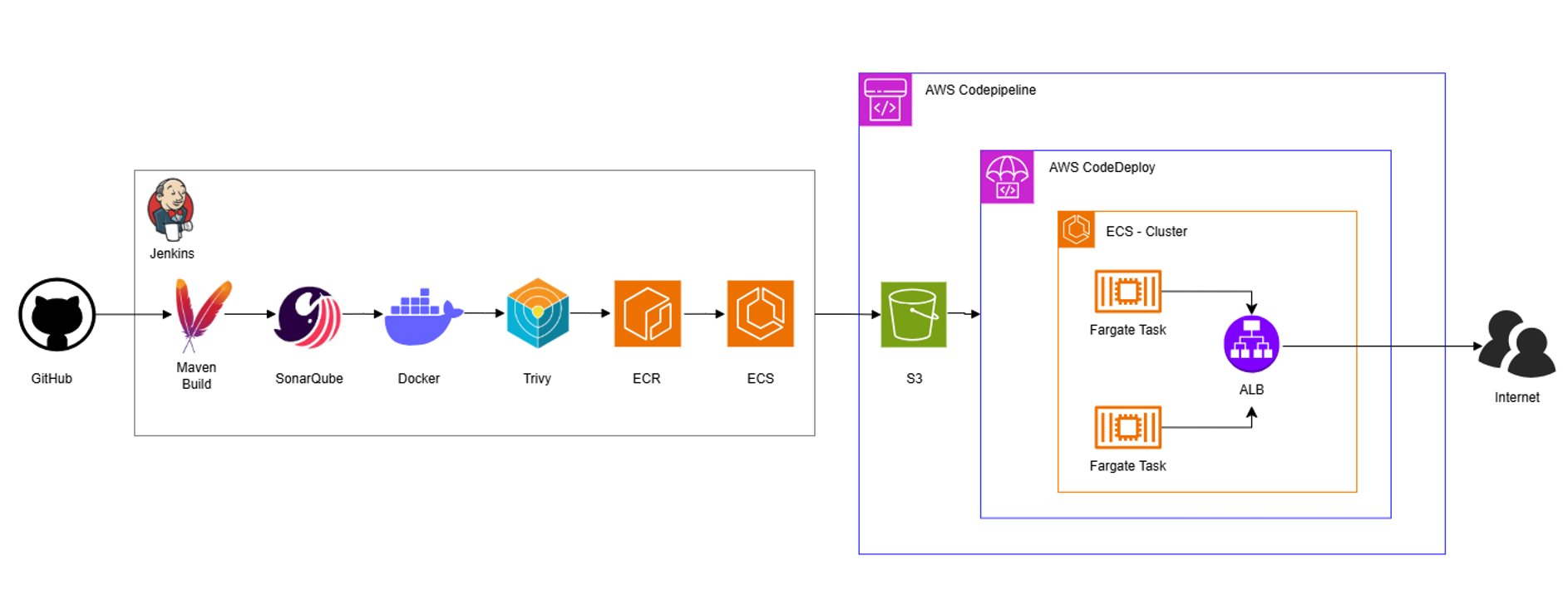
아키텍처와 같이 본래에는 전체 파이프라인을 통합하는 것이 목표였으나, 결과적으로 통합은 못하고 로컬 실습만 완료한다.
SAST - SonarQube
SonarQube는 소스 코드의 품질과 보안 취약점을 자동으로 분석하는 정적 분석 도구로, CI/CD 파이프라인과 연동해 빌드 단계에서 코드 품질 기준으로 검증할 수 있다. 배포 전 잠재적인 문제를 사전에 발견하고, 안정적이고 유지보수 가능한 코드 관리에 기여한다.
1. Docker Desktop 설치
컨테이너 환경에서 실행하기 위해 Docker Desktop을 설치한다.
Docker Desktop: The #1 Containerization Tool for Developers | Docker
Docker Desktop: The #1 Containerization Tool for Developers | Docker
Docker Desktop is collaborative containerization software for developers. Get started and download Docker Desktop today on Mac, Windows, or Linux.
www.docker.com

2. JAVA(JDK) 설치
17 SonarQube 및 SonarScanner는 JAVA 기반으로 JAVA Runtime을 필요로 한다. (대체로 JAVA 17 이상 권장)

3. SonarQube 로컬 실행 (Docker)
docker run -d --name sonarqube -p 9000:9000 sonarqube:latest
docker run -d 컨테이너를 백그라운드로 실행
--name sonarqube 컨테이너 이름을 sonarqube로 지정
-p 9000:9000 Host의 9000Port를 컨테이너의 9000Port로 연결
sonarqube:lastest 최신 SonarQube 이미지 사용

# 서버 로그 확인
docker logs sonarqube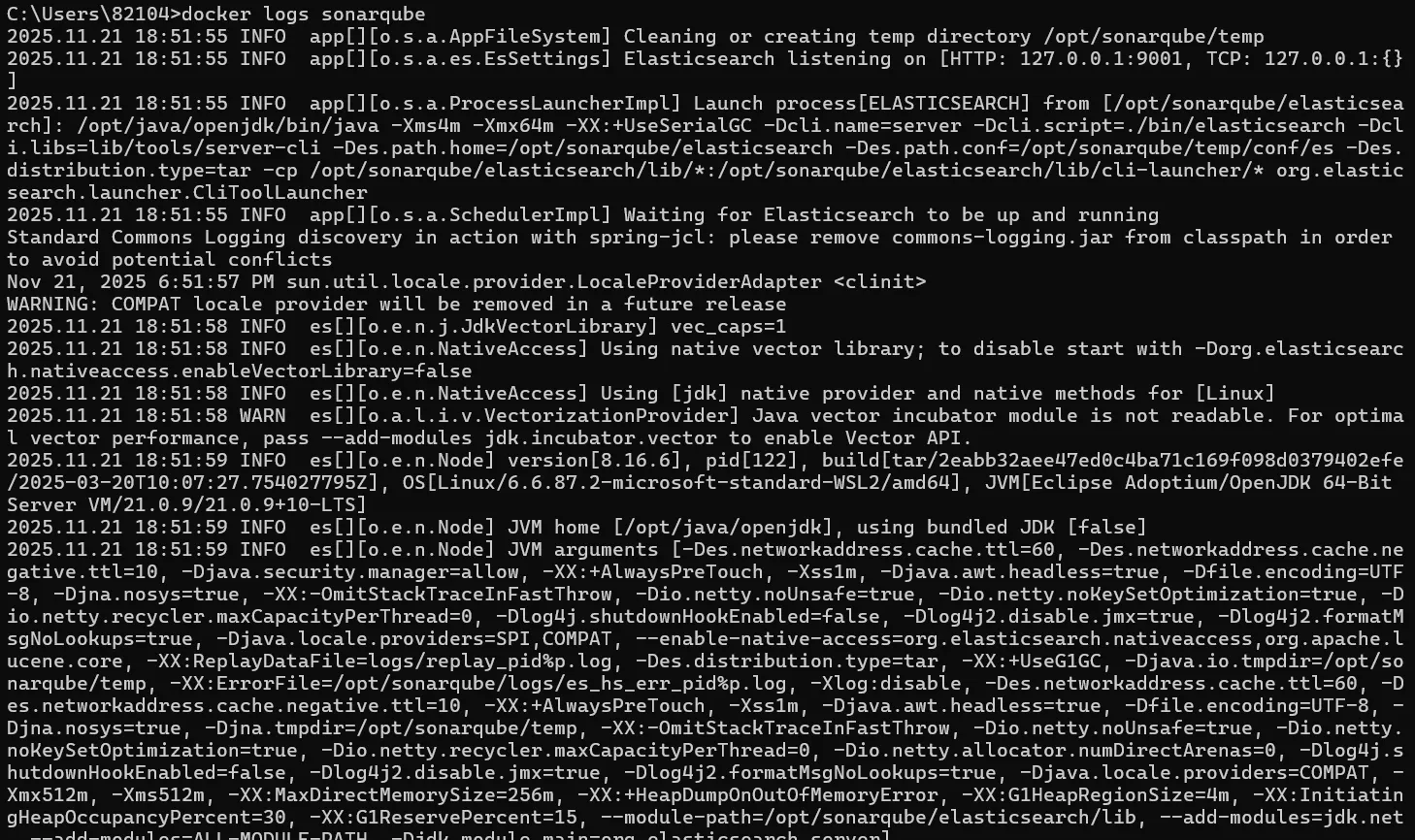
서버가 Operational 상태임을 확인한다.

4. SonarQube 웹 대시보드 접근 및 설정
localhost에 접속해 로그인해 접속한다. (초기 ID/PW : admin / admin)

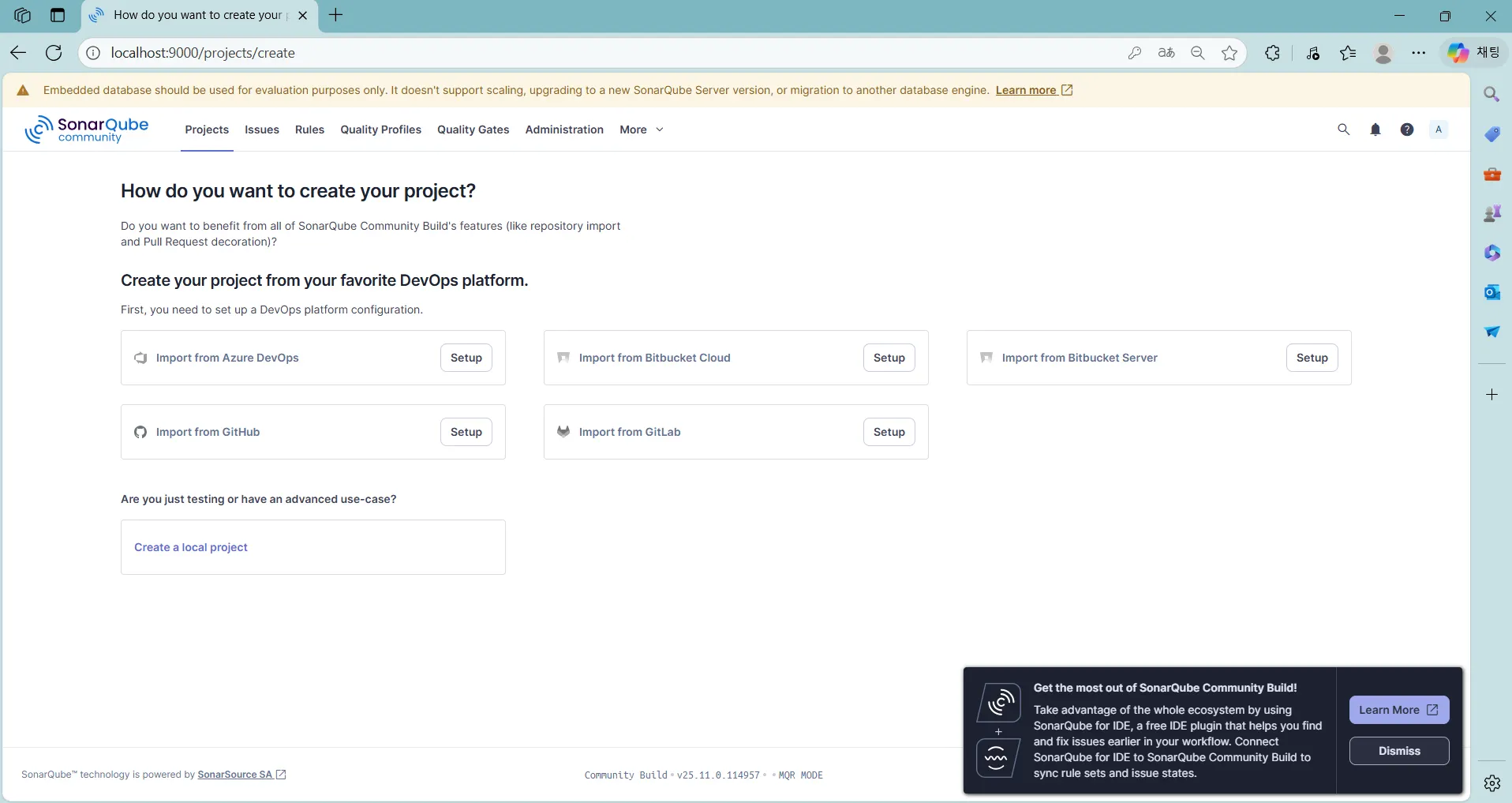
새 프로젝트를 생성한다.
name, key, branch name 설정 > Follows the instance’s default


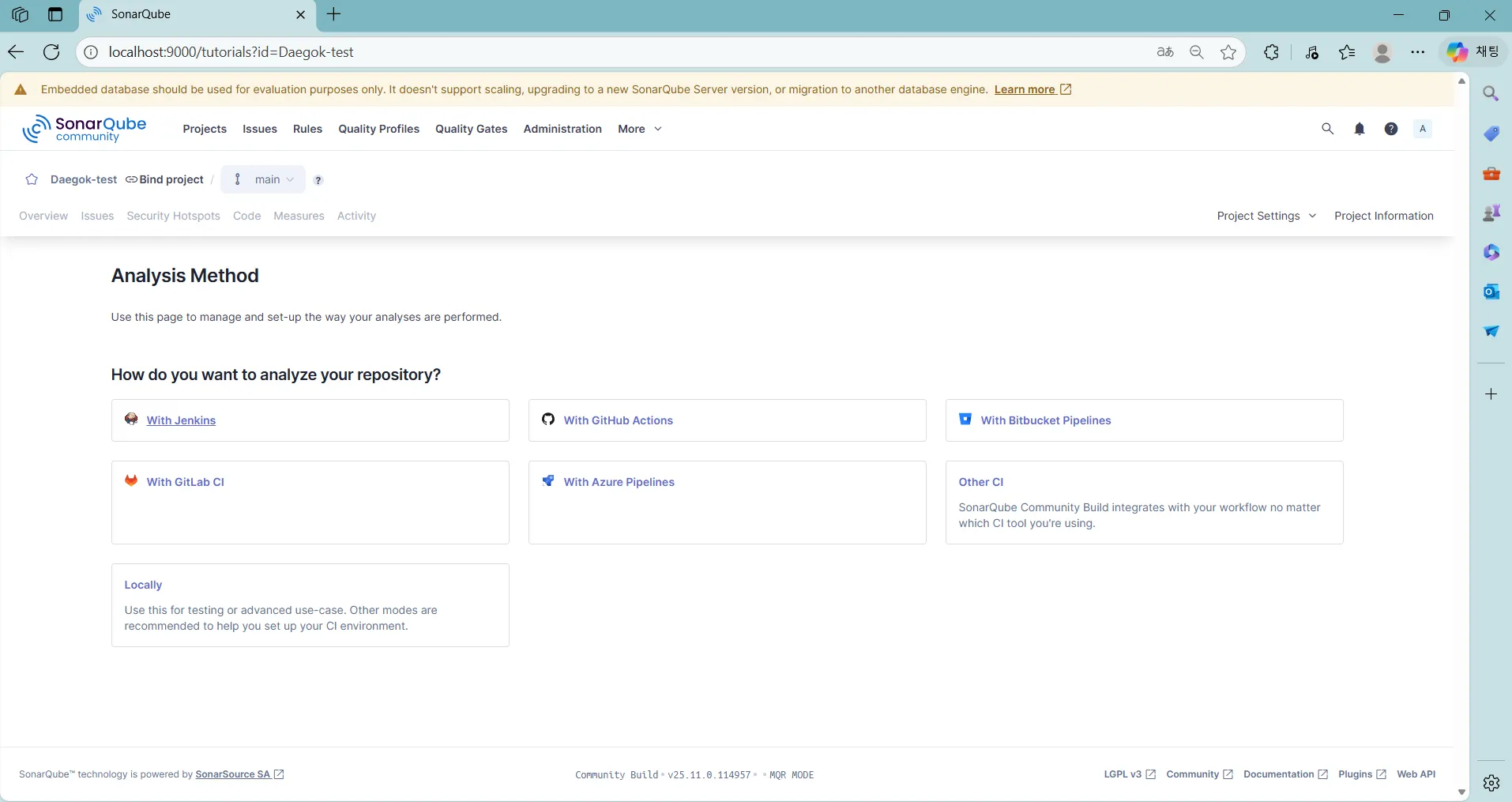
Token을 생성한다.
locally > Generate
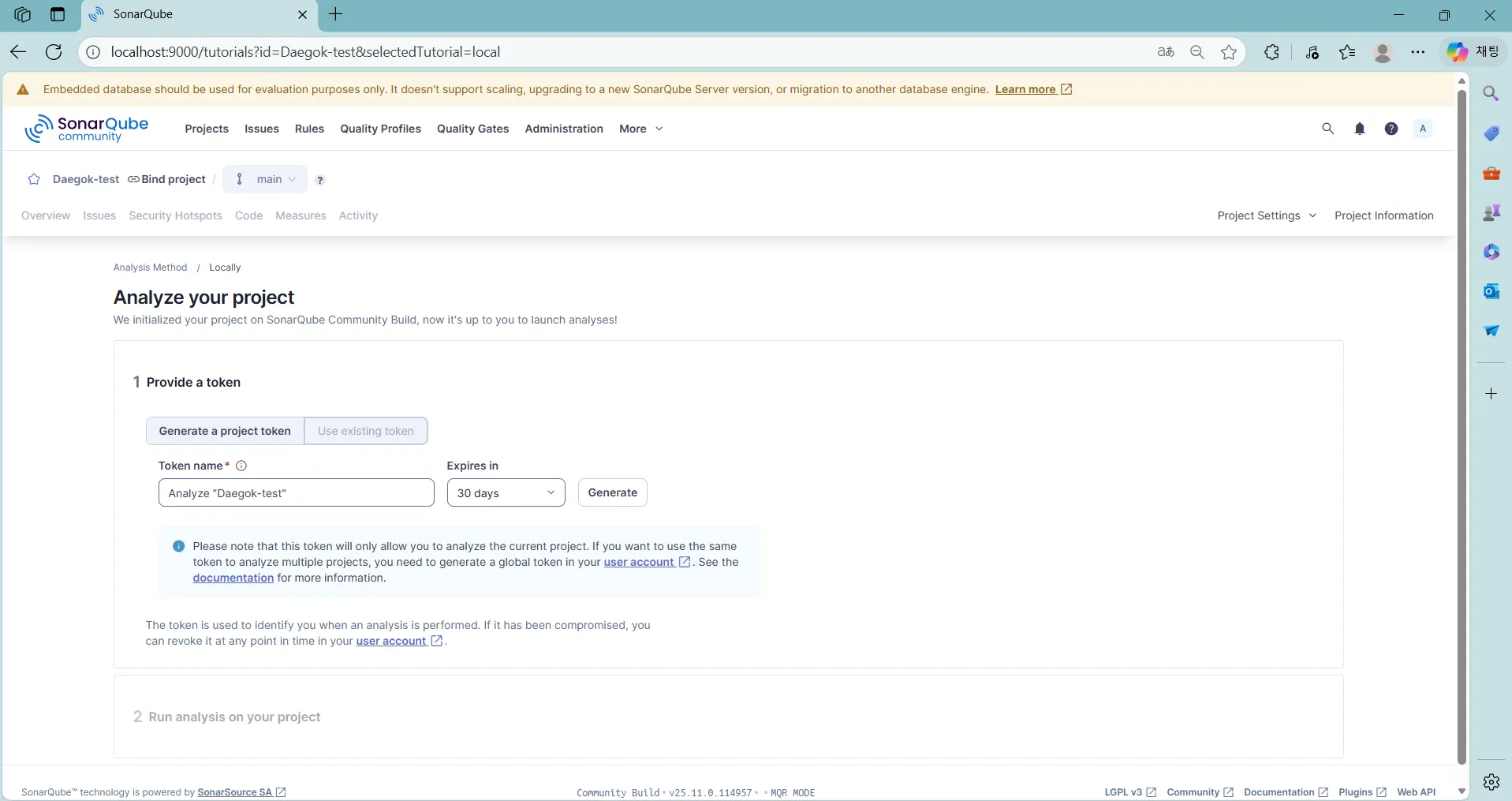
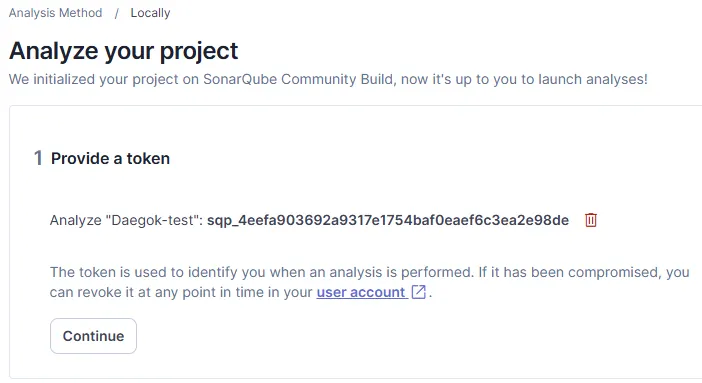
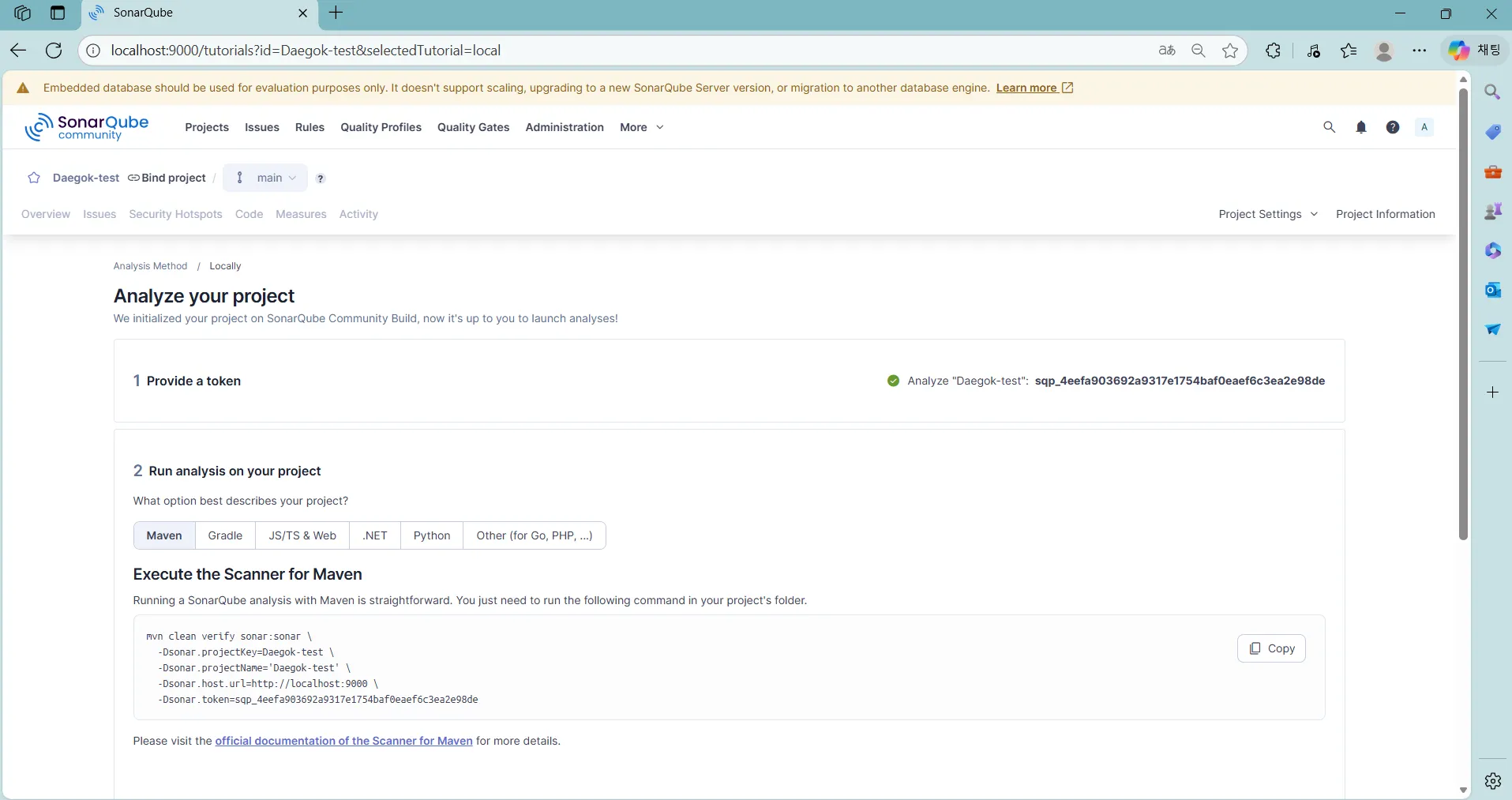
5. SonarScanner 설치 및 설정
SonarScammer CLI를 다운로드 한다.
SonarScanner CLI | SonarQube Server | Sonar Documentation
SonarScanner CLI | SonarQube Server | Sonar Documentation
The SonarScanner CLI is the scanner to use when there is no specific scanner for your build system.
docs.sonarsource.com
PATH 환경 변수 설정을 진행한다.


# 설치 확인
sonar-scanner -h
5. 분석 시도
# 분석 실행
mvn clean verify sonar:sonar \
-Dsonar.projectKey=Daegok-test \
-Dsonar.projectName='Daegok-test' \
-Dsonar.host.url=http://localhost:9000 \
-Dsonar.token=sqp_4eefa903692a9317e1754baf0eaef6c3ea2e98de
SonarQube 서버 프로젝트 대시보드에서 분석 결과 확인이 가능하다.