부트스트랩 (Bootstrap)
부트스트랩은 HTML, CSS, JavaScript로 구성된 프론트엔드 프렘임 워크로, 웹사이트의 디자인과 사용자 인터페이스(UI)를 쉽게 구현할 수 있도록 도와주는 도구입니다. 이미 만들어진 디자인 요소를 가져다 쓰기만 하면 되기 때문에 개발 속도가 빠르며, 별도의 CSS/JS 코딩 없이도 바로 사용 가능합니다.
1. 부트스트랩 설치
부트 스트랩을 사용하는 방법은 여러가지가 있지만, 이번 글에서는 다운로드 후 로컬에서 사용하는 방식을 중심으로 진행하겠습니다.
https://getbootstrap.com/docs/4.4/getting-started/download/
Download
Download Bootstrap to get the compiled CSS and JavaScript, source code, or include it with your favorite package managers like npm, RubyGems, and more.
getbootstrap.com
해당 사이트에서 파일을 다운 받아 압축을 해제해줍니다.
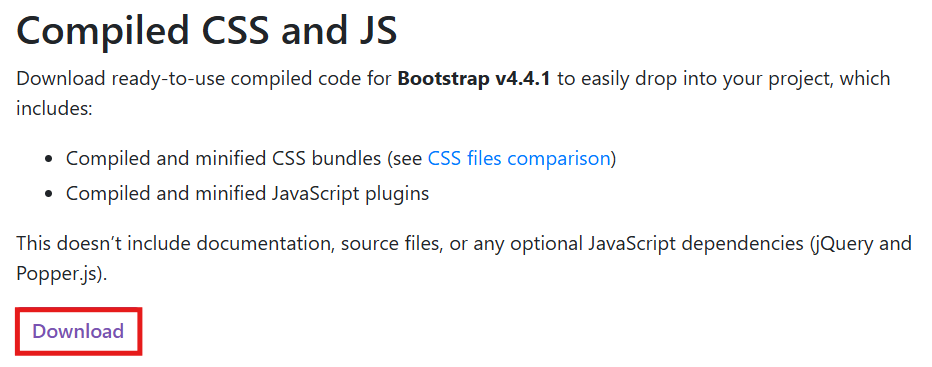


2. 부트스트랩 적용
css > bootstrap.min.css, js > bootstrap.bundle.min.js 파일을 프로젝틑 폴더 안에 복제합니다.
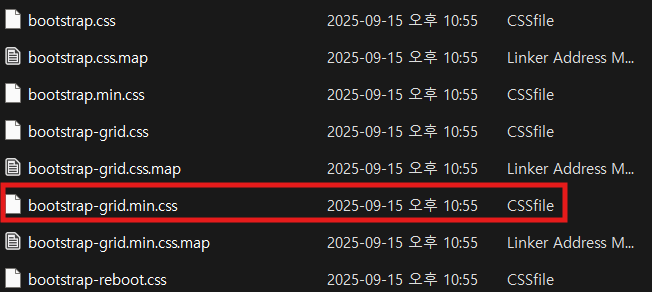

Bootstrap 같은 CSS/JS 파일은 프로젝트에서 정적 파일을 보관하는 폴더 안에 넣어 관리하면 편리합니다.
css/와 js/ 폴더 생성 후, bootstrap.min.css, bootstrap.bundle.min.js를 넣었습니다.

3. 부트스트랩 연결
HTML 템플릿의 <head>와 <body>에 Bootstrap을 불러옵니다.
<link rel="stylesheet" href="/css/bootstrap.min.css"> // Bootstrap CSS
<script src="/js/bootstrap.bundle.min.js"></script> // Bootstrap JS
3. 부트스트랩 디자인 적용
해당 사이트에 접속해 원하는 디자인을 선택해 코드를 적용합니다.
https://getbootstrap.com/docs/5.3/getting-started/introduction/
Get started with Bootstrap
Bootstrap is a powerful, feature-packed frontend toolkit. Build anything—from prototype to production—in minutes.
getbootstrap.com
componenets 메뉴 중에 원하는 UI 요소를 선택합니다. 각 componenets 탭 안에는 여러 예제 코드가 존재합니다.
- Basic examplie: 최소한 기본 구조
- 그 외 예제: 추가 기능/스타일이 포함된 코드
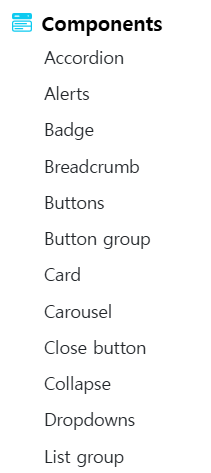
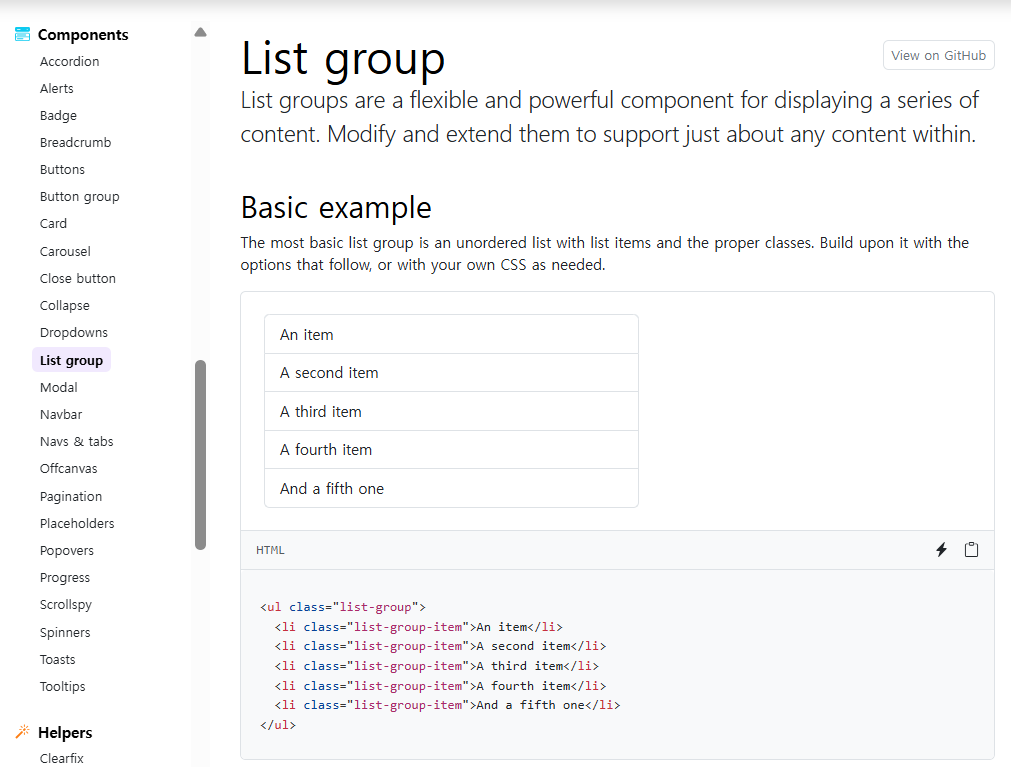
간단하게 게시판 화면에 디자인을 적용해보겠습니다.
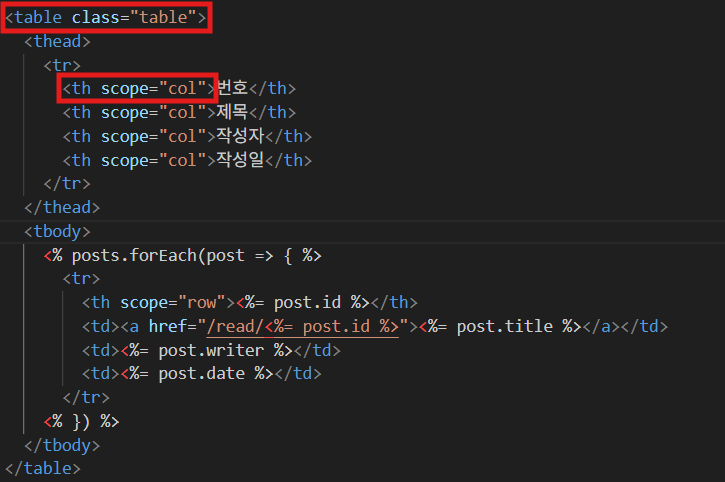
Bootstrap 공식 문서의 Tables > Overview 예제에서 원하는 디자인을 선택했습니다. 첨부된 예제 코드를 보면 <table> 태그와 calss 속성에 적용 가능한 스타일 정보가 적혀 있습니다.
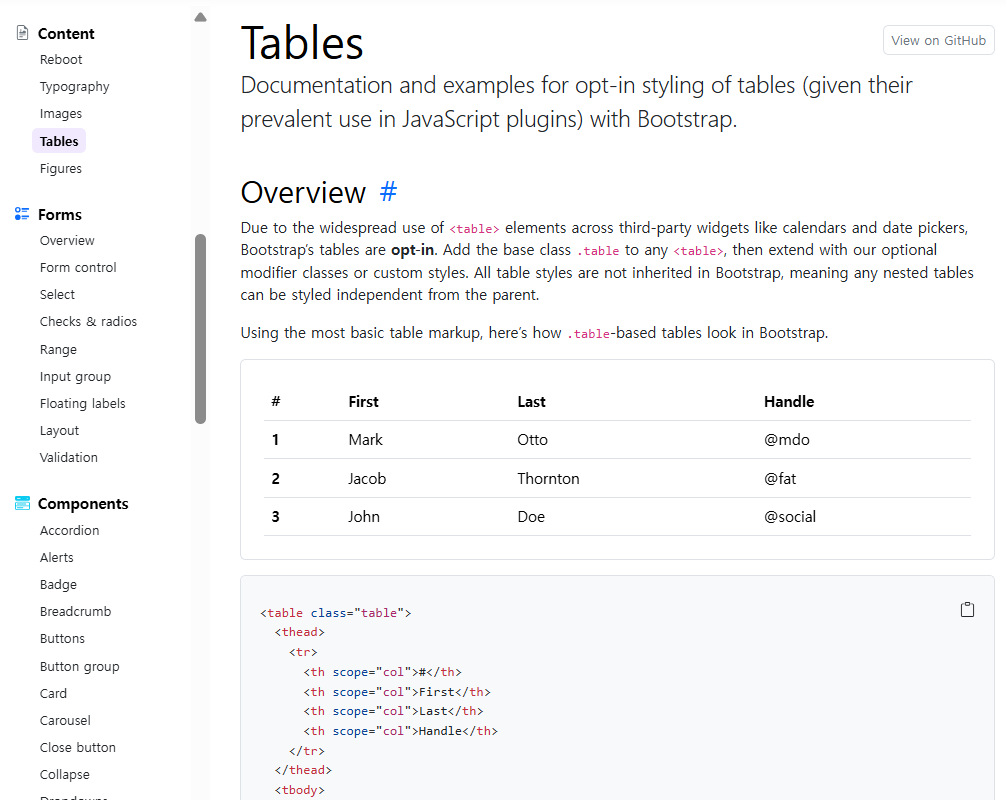
파일 속 css 코드를 프로젝트 코드에 추가해 작성합니다.
Bootstrap 공식 문서의 Components > Buttons 에서 Variants을 선택했습니다.
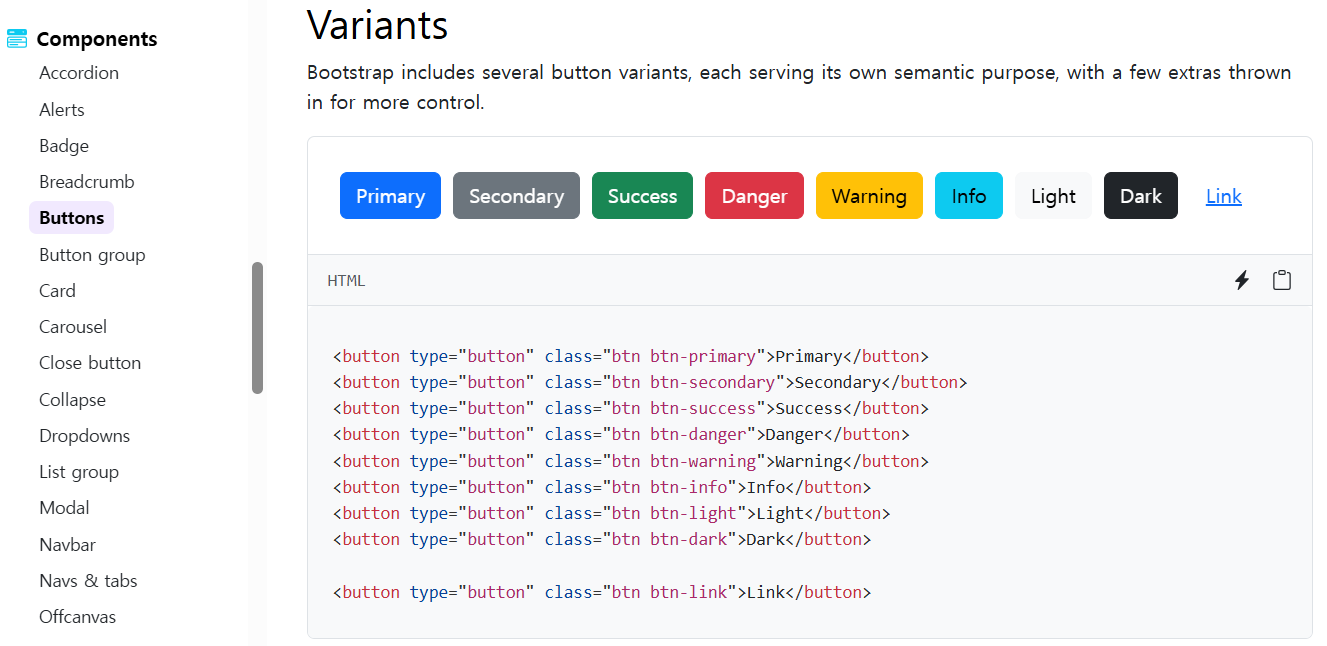
파일 속 css 코드를 프로젝트 코드에 추가해 작성합니다.

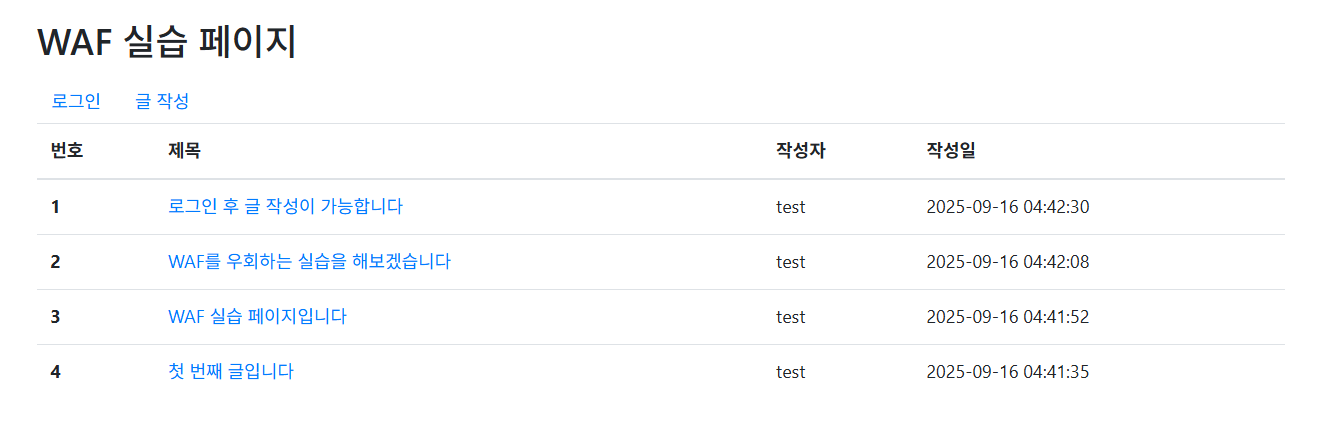
브라우저를 실행하면 디자인이 적용된 화면을 확인할 수 있습니다.
'Web > 기초' 카테고리의 다른 글
| JDK21 설치와 환경 변수 설정 (0) | 2025.10.23 |
|---|---|
| OWASP ZAP 설치 및 사용법(Active Scan) (0) | 2025.10.23 |
| [Web] Google Cloud에 Docker 이미지 배포하기 (0) | 2025.09.03 |
| [Web] 쿠키(Cookie) & 세션(Session) (0) | 2025.05.28 |
| [Web] HTTP, HTTPS (0) | 2025.04.03 |